Automated Dataset Generation & YOLO Training
YOLO Automated Training
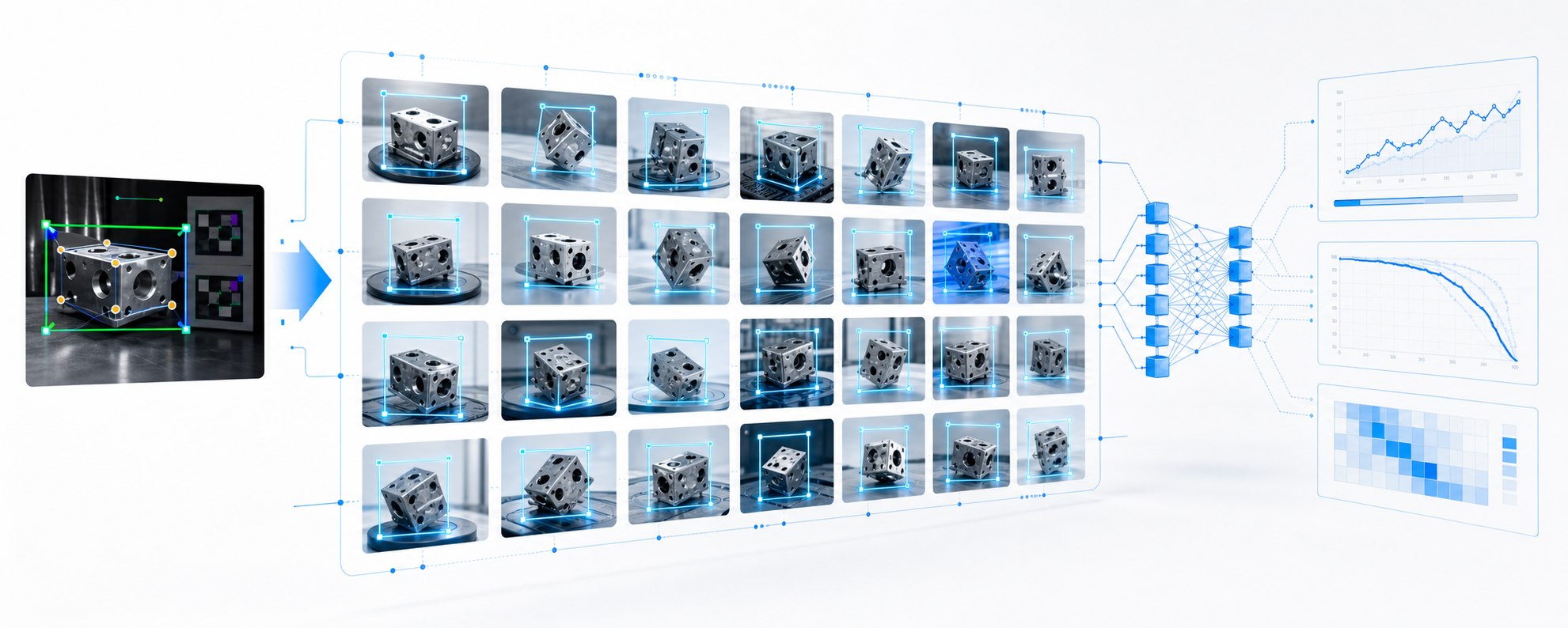
A workflow that automatically generates varied views from an initially annotated image, updates the bounding boxes and uses the resulting dataset to train a YOLO model for industrial part detection.
Project Overview
From one annotation to a trainable dataset
A carefully prepared initial annotation provides the starting point. New views are then generated, labels are updated automatically and the resulting YOLO dataset is used for training and validation.
A manually drawn bounding box defines the object and the first reliable training example.
Distance, viewing angle, rotation and object position are varied automatically.
The generated dataset is split into training and validation sets and used to train the model.
Curves, predictions and tests show whether the model detects objects robustly enough.
Pipeline
Automating time-consuming annotation
The project focuses on reducing manual preparation as well as training the model: an object is annotated carefully once, then controlled variations produce many labelled training examples.
-
01
Capture the Initial Image
A clear image of the part provides the starting point for the dataset.
-
02
Set the Bounding Box
The object is annotated manually once to establish accurate initial label geometry.
-
03
Generate Views
Distance, angle, rotation, position and perspective are varied automatically.
-
04
Update the Labels
The annotation is updated to match each generated view.
-
05
Train YOLO
Training and validation data are generated and the model is trained.
-
06
Test Predictions
The trained model is applied to new images and evaluated using metrics.
01 / Data Generation
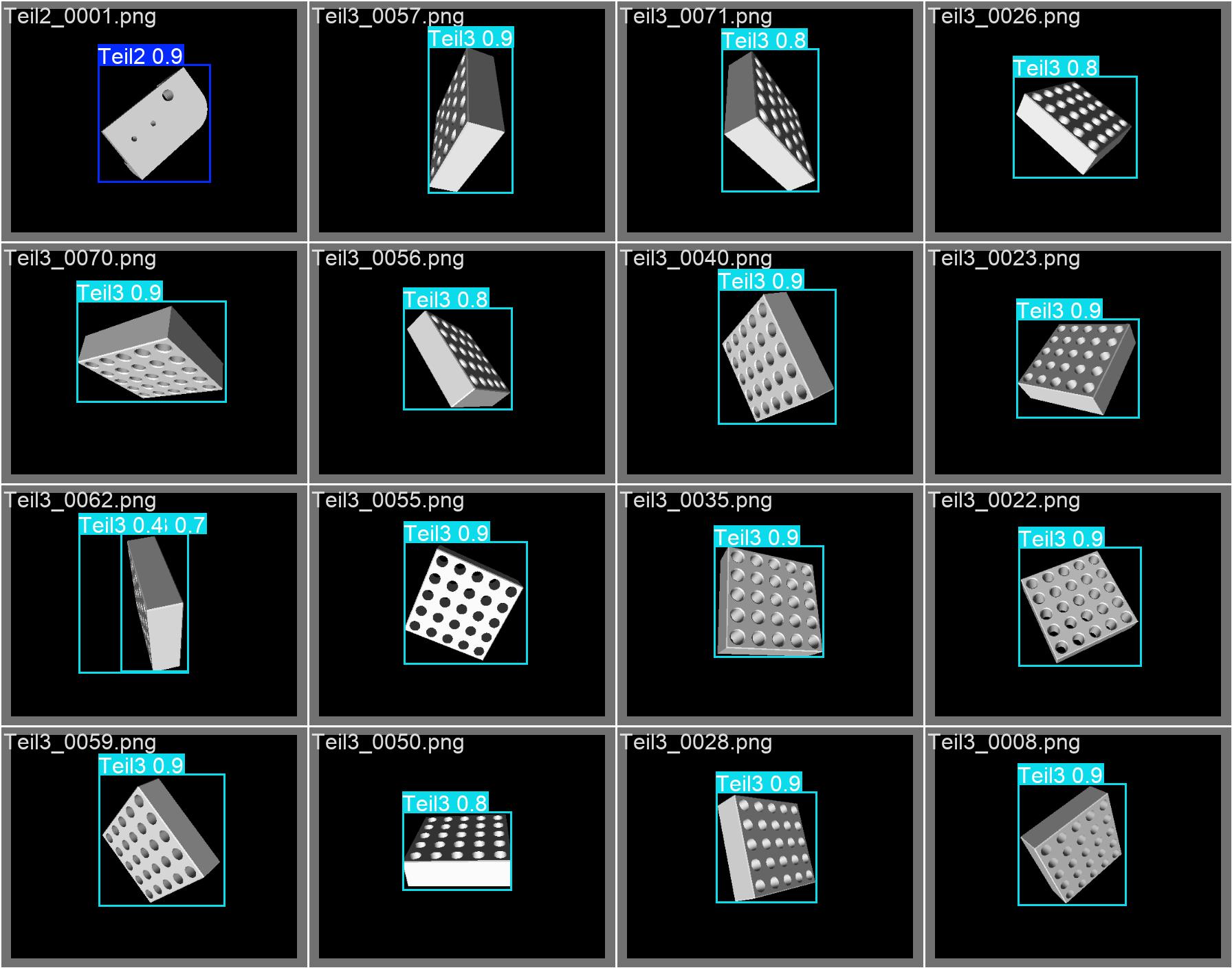
Many views from one well-defined object
The aim is a faster route to training data: a single initial image produces controlled variations of the same object. This significantly reduces the manual work needed to build an initial detector.
02 / Training Batch
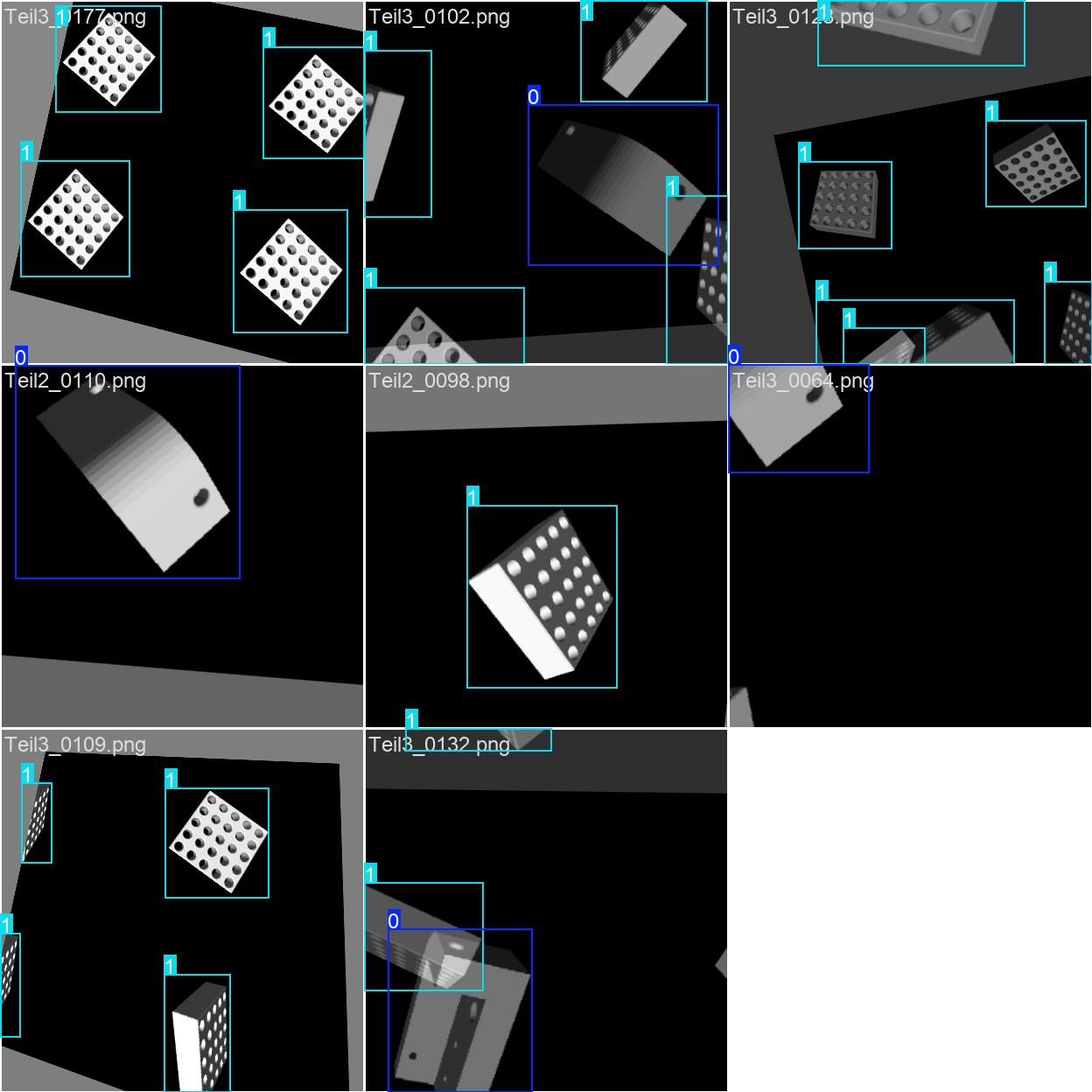
Annotations stay aligned with the variations
Each generated view needs an accurate label. The workflow updates the bounding box to reflect changes in object position and perspective rather than treating it as a fixed rectangle.
Show variations
The gallery shows examples from training and validation. The aim is to expose the model to different positions, scales and views of the same part so it learns more than a single image.
03 / Model Training
Training, validation and learning-curve analysis
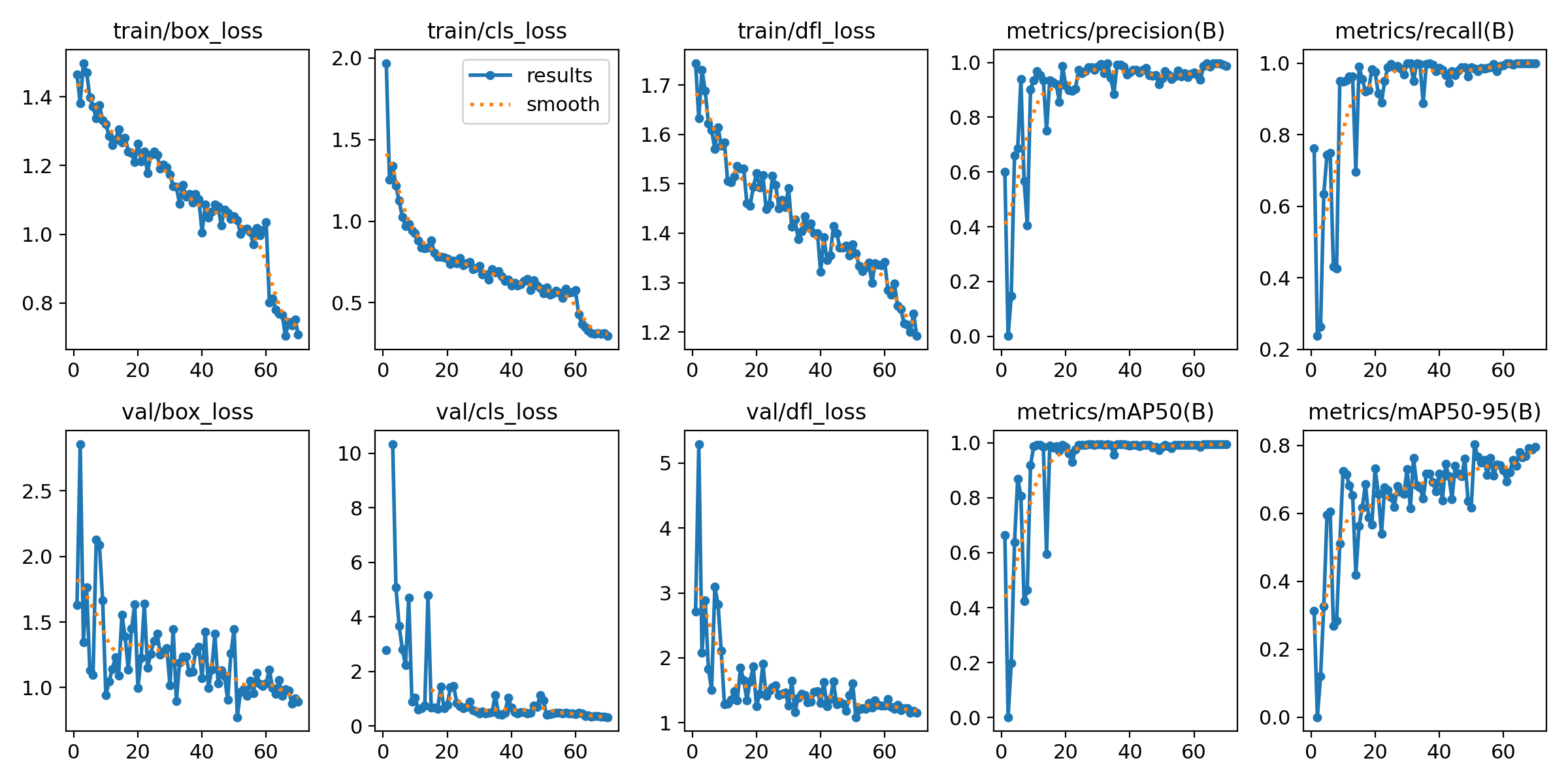
After dataset preparation, the YOLO model is trained. Result plots show box loss, classification performance and mAP development, helping assess whether expanding the dataset is useful.
04 / Validation
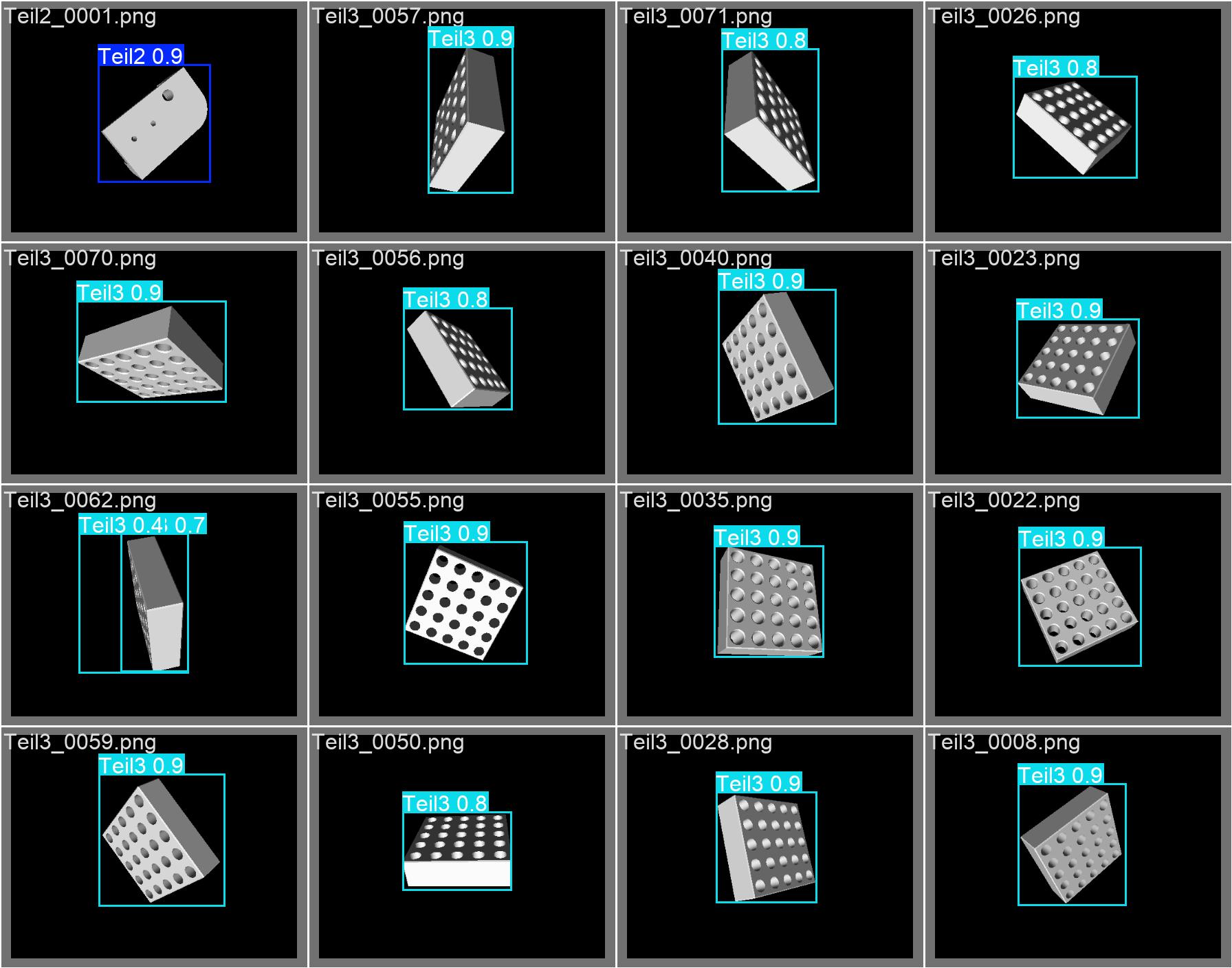
Predictions reveal practical detection quality
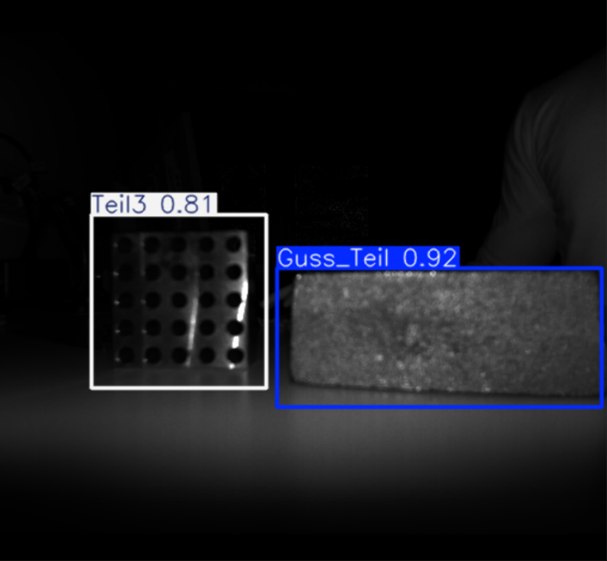
Prediction images complement the metrics by showing immediately whether bounding boxes are positioned consistently and whether the model identifies the correct object class in new views.
Show metrics
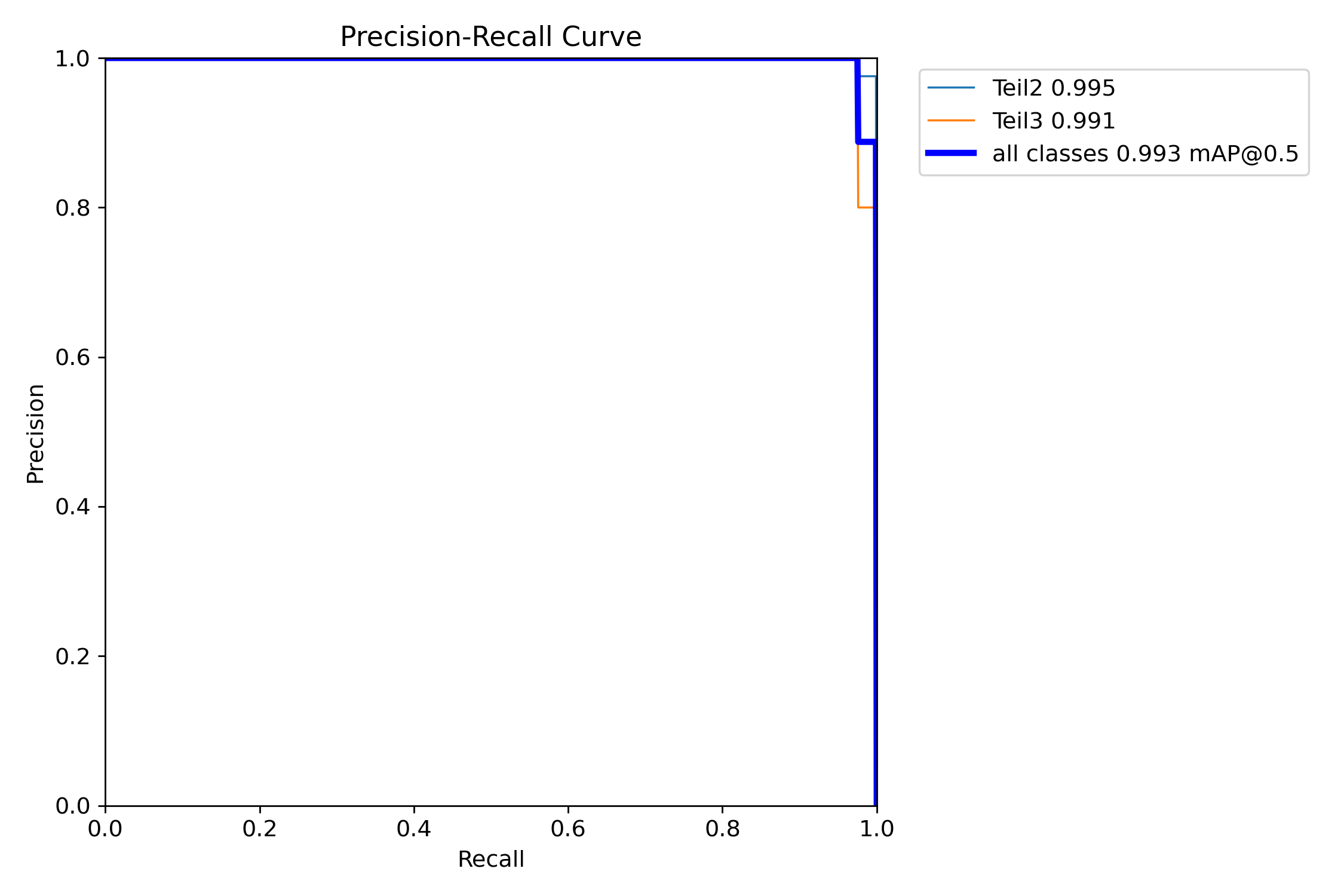
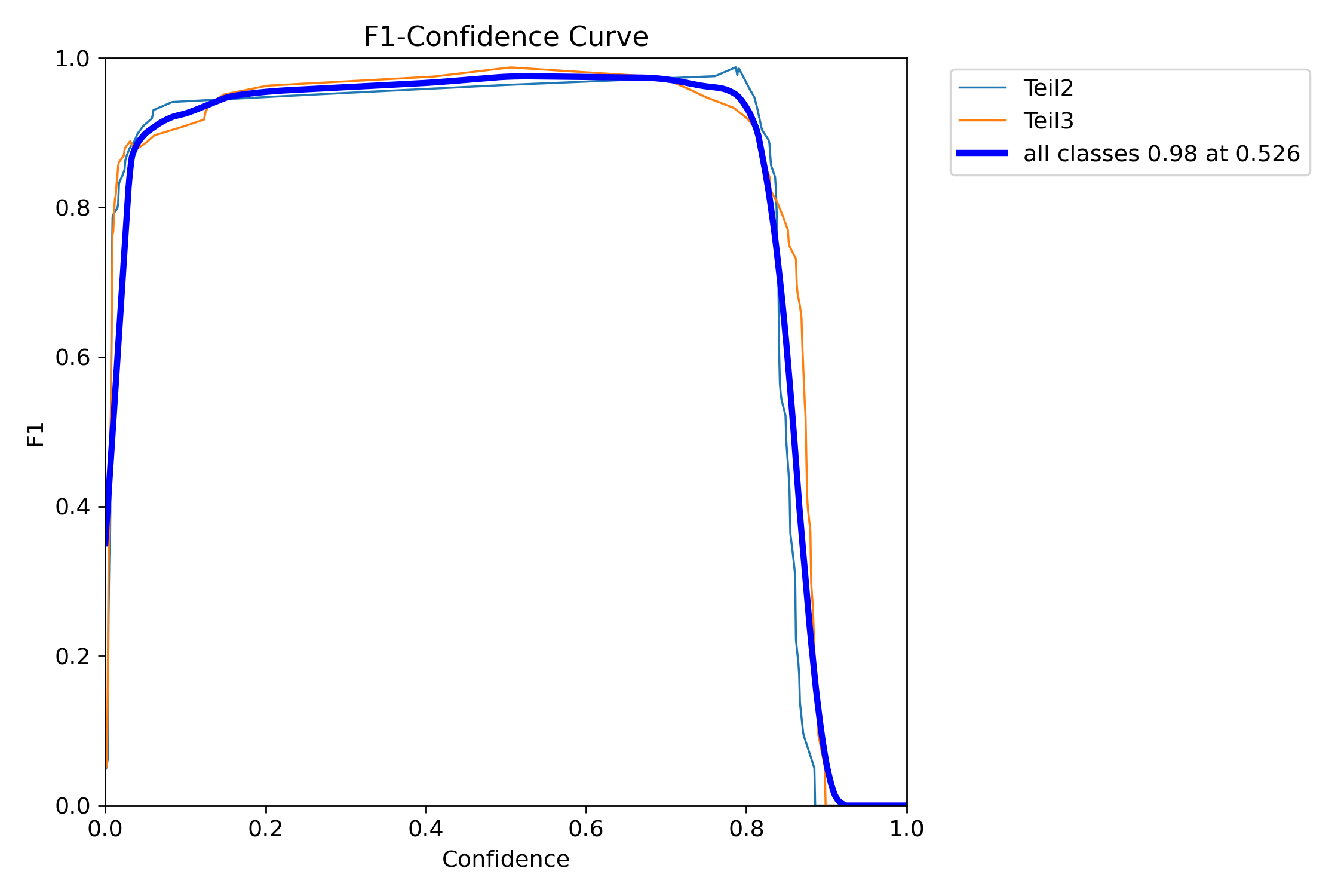
Precision–recall and F1 curves help determine whether more variations, a better initial annotation or different training parameters are needed.
05 / Result
A trained model ready for further vision processes
The trained YOLO model can then be integrated into engineering pipelines, for example to supply the region of interest and class before pose estimation, inspection or automated part recognition.